
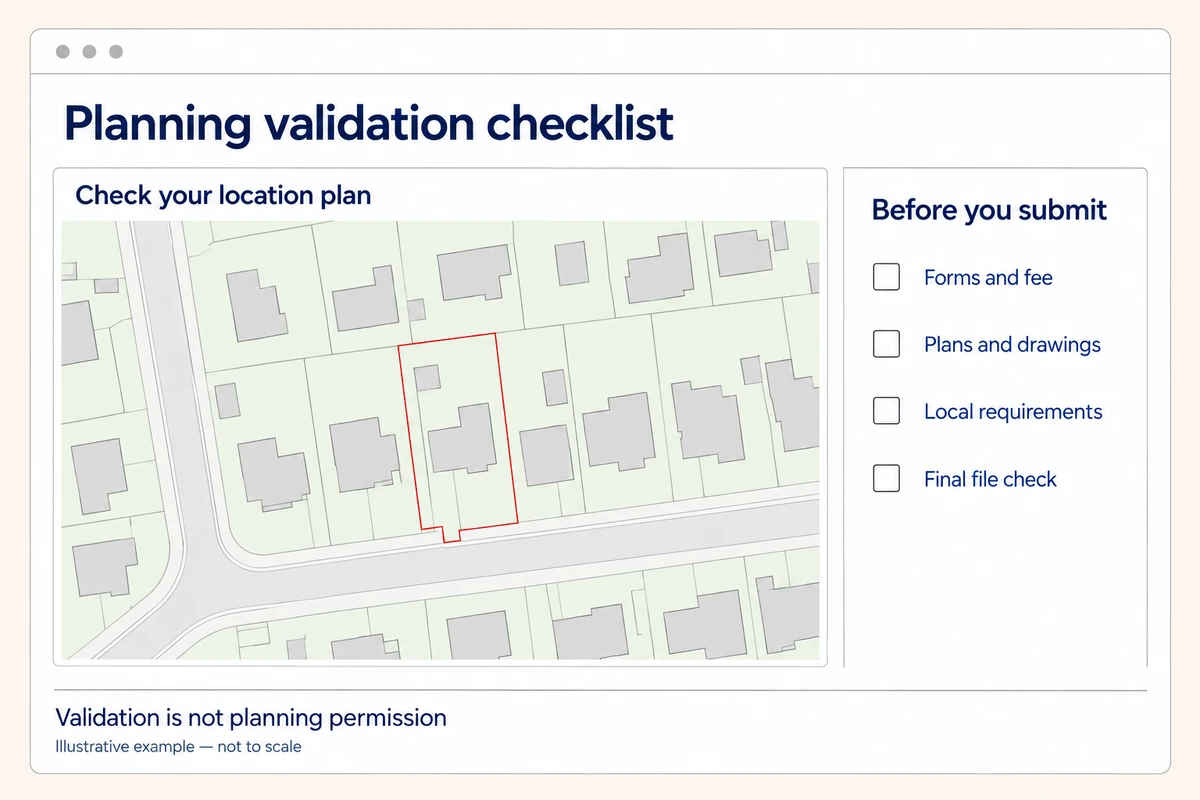
The first thing to know is that validation is not planning permission. It is the check that the application contains the information needed to process it. The detailed procedure below relates to England; if your project is in Wales, Scotland or Northern Ireland, check the relevant national guidance and your council's requirements.
What planning validation means
Think of the process as three separate stages: submitted, valid and decided. Sending the application starts the first stage. Validation confirms the required information is there. The planning decision comes later, after the proposal has been assessed.
A submission receipt is not the same as a validation confirmation. Planning Portal's guidance on what happens next makes that distinction clear. Keep the receipt, but look out for the council's own correspondence too.
The decision period relates to receipt of a valid application, including the necessary information and fee where payable. It does not simply start on the day a validation email arrives. Ask the council to confirm the valid date and target decision date rather than working them out from your upload receipt. See the government's guidance on determining applications.
An application can be valid and still be refused on planning grounds. Equally, an invalid application has not necessarily been rejected because the council dislikes the proposal.
The core documents most applications need
Start with the right application type. A householder application, a change of use and an application for listed building consent do not all ask for the same information.
Your submission will usually need a completed form, the relevant ownership declarations, the correct fee where payable, plans and any supporting information required for that proposal. For building work, check whether the pack includes:
- A location plan showing where the application site is.
- A site or block plan showing the layout and proposed work.
- Existing and proposed floor plans and elevations.
- Statements, surveys or reports triggered by the site or development.
Not every project needs a heritage statement, flood-risk assessment or tree report. Check the triggers before commissioning specialist work. Complete the biodiversity net gain questions and provide the information or exemption explanation required for your application; current government guidance explains the process.
Check ownership certificates carefully, including any notice requirements. If the application includes land you do not own, ask your agent or adviser which certificate and notices are needed. A red line on a map does not settle ownership.
Location plans and site plans: small errors, real delays
A location plan answers “Where is the site?” A site plan answers “What is happening within it?” Supplying one does not necessarily remove the need for the other.
The Planning Portal plans and drawings guide explains the usual requirements. Location plans normally use 1:1250 or 1:2500 and need enough surrounding roads and buildings to identify the land. Site plans commonly use 1:200 or 1:500 for a closer view.
Under England's guidance, the red outline includes all land necessary for the development, including required access. It is not automatically just the extension footprint or the whole registered title. Other nearby or adjoining land owned by the applicant is outlined in blue. Ask for advice if shared access makes the extent unclear.
Check that the plan states its scale, indicates north and shows the whole relevant area. Use properly licensed mapping and retain the copyright and licence information. A screenshot that looks clear on your monitor may not provide a properly scaled planning drawing.
Our location plans and site or block plans use Ordnance Survey mapping at standard planning scales. They include a north arrow, scale bar and licence information. Your proposed development, detailed measurements or other drawings may still need adding by you or your designer.
Choose the scale that answers the question
Choose coverage and detail together. A small urban plot may be easy to identify at 1:1250, while a larger rural site may need 1:2500. A closer site-plan view can help explain a tight layout, provided it still shows everything relevant.
Preview the final sheet, not just the map while you are moving it around. Check the council's requested scale and paper size. If you print the PDF, use its intended sheet size at 100% rather than “fit to page”, which can alter the scale.
Check the local validation list before submission
Use our sister website to find your council's guidance, then follow through to the council's current validation list. Choose the list for your application type rather than downloading the first checklist you find.
Make a simple working list with three columns: requirement, the file that meets it and anything still to do. If a report applies only in certain circumstances, note why it does or does not apply to your proposal. This helps you spot gaps before paying to submit.
Local requirements are not unlimited. England's national application guidance explains the rules on relevance, proportionality and publication within the preceding two years. A council can review and republish an unchanged list, so an older-looking cover is not a reason to ignore it. Ask the validation team if you cannot identify the current adopted version.
For an unusual site, a short question before ordering reports can save a lot of uncertainty later.
Prepare drawings that agree with each other
Put the form, location plan and proposed drawings beside each other. Do the address, site extent and description agree? Does the extension shown on the floor plan match the one on the site plan?
This matters when a design has changed. A revised extension might appear on the latest elevation while the uploaded site plan still shows the first idea. Each file may be perfectly readable, but together they tell different stories.
Use clear drawing titles and distinguish existing from proposed. Include the relevant scale, sheet size and revision reference. A filename such as “Proposed-site-plan-P03-Rev-B.pdf” is easier to identify than “final-final2.pdf”.
Keep superseded drafts in your own records, separate from the submission folder. Send only the intended current versions, unless the council specifically asks for earlier material.
A practical guide to planning validation checks
Before pressing submit, open the actual files you intend to upload. Do not rely on the versions still open in your drawing software.
- Check the application type, contact details and development description.
- Confirm the fee or claimed exemption using current guidance.
- Check declarations and any required notices with your adviser.
- Match each checklist item to a clearly named file.
- Look for missing pages, clipped edges, faint lines and unreadable labels.
- Check the upload service's permitted formats and file-size limits.
- Save the submitted pack and payment or submission confirmation.
After uploading, open the attached files again if the service allows it. A quick look can catch the wrong revision or an empty PDF before it becomes a council query.
Leave yourself time for this check. It is much easier to correct a filename or replace a cropped drawing before the pack has gone to several people.
If the council marks your application invalid
Read the request point by point. For each item, explain what you have supplied and identify the replacement filename and revision. For example: “Item 2: revised location plan LP01 Rev B attached, showing the access within the red boundary.” Use your own drawing references and explain exactly what changed.
If a request is unclear, ask what needs changing before ordering another map. If you disagree about a requirement, discuss it with the authority and your planning adviser rather than assuming an immediate appeal is the answer.
We can help with practical mapping questions. In a review displayed on our homepage, p bent describes a telephone order being clarified after a question from Shropshire Council. Sometimes a conversation is easier than trying to work out which replacement plan to buy on your own.
Call us on 01856 898 022 with the council's wording to hand. We can help you choose the mapping; the council decides whether the complete application meets its validation requirements.